Local terminal
Run your shell on your Mac with full colour, Unicode, large scrollback and search.
 Ultimate AppsAll apps
macOS · iPhone · iPad
 UltimateShell
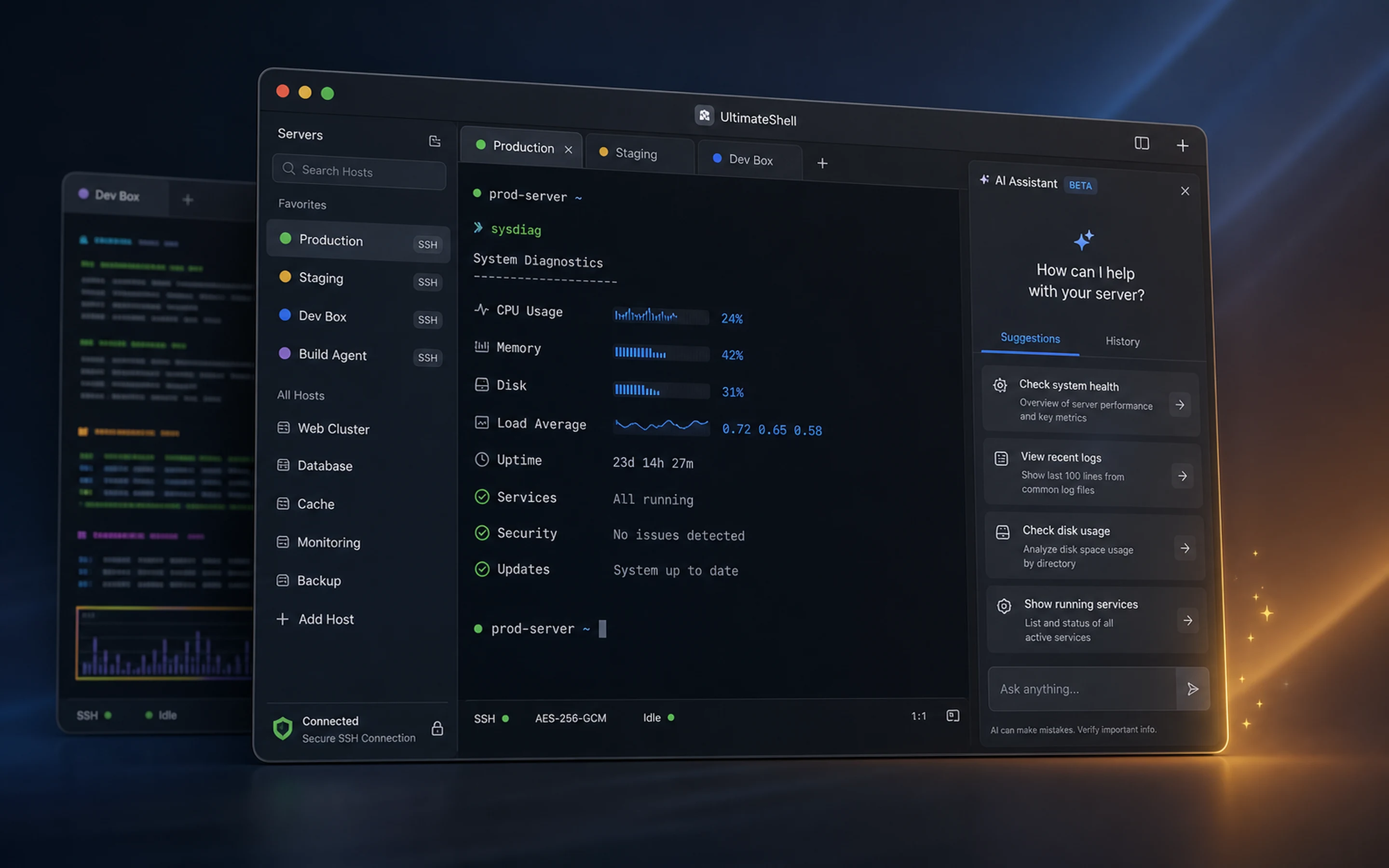
A terminal and SSH workspace for Apple devices, with optional AI help.
Open local terminal sessions, connect to your servers over SSH, keep work in tabs and split panes, and save the commands you use often. When something goes wrong, AI tools can explain a command, analyse an error and suggest what to try next.
Free download for macOS 14 or later. Notarized by Apple and keeps itself up to date. The terminal and SSH are free; AI features are optional paid extras.
What you get
Run your shell on your Mac with full colour, Unicode, large scrollback and search.
Connect with a password or SSH key. Credentials are stored in your device’s Keychain.
Work in several sessions at once, side by side or in a grid, with keyboard shortcuts.
Save the commands you use often and send them to any session in one step.
Ten built-in themes, a custom theme editor, and font and cursor settings.
Explain commands, analyse errors and turn plain English into shell commands. Likely secrets are removed before anything is sent.
Pricing
The terminal, SSH, tabs, snippets and themes cost nothing. Every install includes 5 free AI Assists to try the AI tools. One AI Assist is one AI request, such as explaining a command or analysing an error.
£2.99/month
300 AI Assists each month.
£4.99/month
1,500 AI Assists each month.
£9.99/month
5,000 AI Assists each month.
Plans renew automatically each month until cancelled. Unused monthly Assists don’t carry over to the next month.
£2.99
One-time purchase. Assists don’t expire.
£5.99
One-time purchase. Assists don’t expire.
£12.99
One-time purchase. Assists don’t expire.
£4.99
One-time unlock to connect a supported AI provider with your own API key. The provider bills you directly for its usage.
How you pay. In the iPhone, iPad and Mac App Store apps, purchases are made through Apple and appear on your Apple account. In the Mac version downloaded from this website, purchases are made on our secure checkout, with payments processed by Stripe, and plans are managed with Manage Billing in the app.
Prices are in pounds sterling (GBP). Any tax that applies is shown before you pay. Prices may differ slightly in other App Store regions.
Support and policies
Email inquiries@ultimateapps.co.uk. We aim to reply within two working days.
You can cancel any time. App Store plans are managed in your Apple account settings; website plans through the billing link in the app or by emailing us.
See our refund policy. Refunds for App Store purchases are requested from Apple.
The downloaded Mac version runs your local shell directly, like Terminal, and updates itself. The App Store version also runs on iPhone and iPad and updates through Apple.
Read the UltimateShell terms and the UltimateShell privacy policy.
UltimateShell is made and sold by Ultimate Apps Ltd, an independent software company in the United Kingdom.